
 English
 Arabic
 English
 French
 German
User Datagram Protocol: 2026 Complete Guide
The User Datagram Protocol (UDP) is a fast, connectionless transport-layer protocol that sends data directly across networks without first establishing a connection. It prioritizes speed over reliability, making it ideal for real-time applications where every millisecond counts.
Unlike Transmission Control Protocol (TCP), UDP skips handshakes, resending, and ordering, allowing data to flow quickly from source to destination. Each udp datagram carries the essential information needed to reach its target, including udp header, udp ip header, and udp ip port.
Understanding UDP is crucial for cybersecurity professionals. Its simplicity and speed make it a backbone for streaming, online gaming, VoIP, and critical services like DNS. Yet, its lack of built-in reliability also introduces potential security risks, from packet loss to exposure to denial-of-service attacks.
In this guide, we will explain what is a datagram, break down the udp datagram format, compare udp vs tcp, and show real-world udp protocol examples. By the end, you’ll know why user diagram protocol in computer networks relies on UDP and how to leverage it safely in your cybersecurity practice.
What Is User Datagram Protocol? (UDP Protocol Full Form & Characteristics)
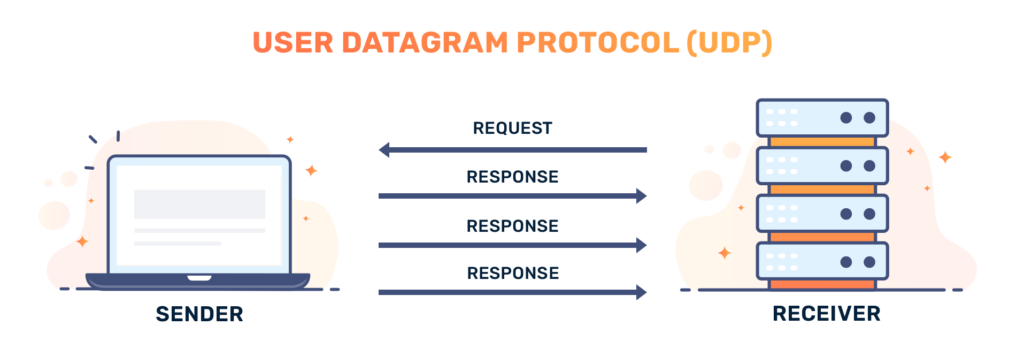
The User Datagram Protocol (UDP) is a lightweight, connectionless protocol used to send messages quickly across networks. Its full form, “User Datagram Protocol,” reflects its focus on transmitting datagrams without establishing a formal connection.
UDP operates in a fire-and-forget manner: it sends data immediately and does not confirm delivery. This makes it faster than Transmission Control Protocol (TCP) but also less reliable. Unlike TCP, UDP does not reorder packets, resend lost data, or track session states.
Key characteristics of UDP include:
- Connectionless: Each udp datagram is sent independently without negotiating a connection.
- Minimal Overhead: The udp header size is only 8 bytes, allowing networks to carry more data efficiently.
- No Ordering or Guarantees: Packets may arrive out of order or not at all. Applications must handle errors if reliability matters.
- Supports Multicast and Broadcast: UDP can send a single datagram to multiple recipients, making it ideal for real-time updates.
- Checksum in UDP: A basic error-checking mechanism ensures that the udp datagram format remains intact during transmission.
Understanding these characteristics of UDP helps cybersecurity professionals identify when this protocol is advantageous and when it could introduce vulnerabilities, especially in high-speed network applications.
RELATED: Secure Shell Protocol: Everything You Need to Know in 2026
How UDP Works: Understanding the UDP Datagram Format
The User Datagram Protocol sends data in udp datagrams that travel directly from the source to the destination without a connection. Each datagram contains a udp header and a payload, forming the udp datagram format that devices use to process information efficiently.
A udp datagram consists of four main fields:
- Source Port: Identifies the sender’s port, often ephemeral for clients.
- Destination Port: Specifies the receiver’s port, ensuring the datagram reaches the correct application.
- Length: Includes the udp header size (8 bytes) plus the payload size, setting the maximum data limit, or udp max packet size.
- UDP Checksum: Validates data integrity, detecting errors in both the header and payload.
Quick Fact: The checksum in UDP is optional in IPv4 but mandatory in IPv6, adding a layer of integrity for critical applications.
When sending a datagram:
- UDP encapsulates the data inside an IP datagram, forming the udp ip header.
- No handshake occurs, so the datagram may arrive out of order, duplicated, or lost.
- Applications like streaming, gaming, or DNS must handle reliability themselves.
This simplicity gives UDP its speed advantage, making it ideal for real-time applications, low-latency tasks, and scenarios where speed outweighs guaranteed delivery.
Using a User Datagram Protocol diagram can help visualize the structure: the udp header sits atop the payload, all encapsulated in an IP packet ready to traverse the network.
UDP vs TCP – Speed vs Reliability
The User Datagram Protocol (UDP) and Transmission Control Protocol (TCP) handle data transmission differently. UDP sends data immediately, while TCP establishes a connection first, ensuring reliable delivery. Understanding udp vs tcp is critical for cybersecurity professionals designing or monitoring networks.
Key Differences:
- Connection Setup:
TCP performs a three-way handshake before sending data. UDP skips this step, delivering udp datagrams instantly.
- Reliability:
TCP tracks packets, resends lost data, and ensures order. UDP does not guarantee delivery or order, leaving error handling to the application.
- Header Size: TCP headers range from 20 to 60 bytes. UDP has a fixed udp header size of 8 bytes, reducing overhead.
- Speed:
Without handshakes or retransmissions, UDP transfers data faster, making it suitable for real-time applications.
- Use Cases:
- TCP: File transfers, email, web pages.
- UDP: UDP protocol example includes streaming, VoIP, online gaming, UDP TV, and DNS queries.
Tip: Knowing what is UDP and TCP helps cybersecurity professionals choose the right protocol for performance and security. For instance, UDP’s speed can expose networks to spoofed packets, while TCP’s reliability reduces certain attack vectors.
By comparing udp vs tcp, learners can balance speed, reliability, and security in network design, and understand why udp datagrams remain essential for latency-sensitive applications.
READ MORE: How Multitenant Database Containers Improve Cybersecurity in Modern Enterprise Systems
Common Applications of UDP
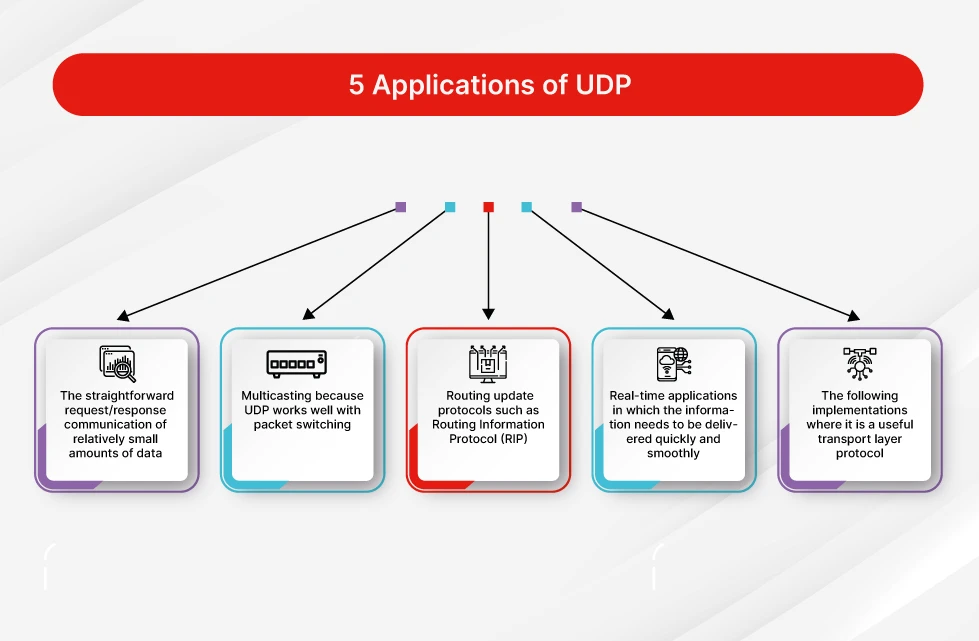
The User Datagram Protocol (UDP) powers applications where speed matters more than perfect delivery. Cybersecurity professionals must understand these use cases to design networks and protect them from potential misuse.
Real-World UDP Applications:
- Video Streaming & UDP TV
Streaming platforms use UDP to send data continuously. Dropped frames are preferable to buffering delays, keeping videos smooth.
- Online Gaming
Multiplayer games rely on udp datagrams for real-time updates. A missing packet is less disruptive than a delayed one.
- Voice over IP (VoIP)
Applications like Zoom or Skype prioritize voice flow over packet loss. UDP minimizes latency, ensuring conversations stay clear.
- DNS and DHCP: Quick request/response operations, such as DNS queries or DHCP assignments, use UDP for efficiency.
- Multicasting & Broadcasts
UDP supports sending data to multiple devices simultaneously, useful for live updates or network-wide messages.
Why UDP Works for These Applications:
- Minimal udp header reduces network congestion.
- Connectionless design enables fast transmission over the udp ip layer.
- Applications handle errors themselves, maintaining low latency.
- Ports (udp ip port) let multiple programs communicate on the same device efficiently.
Cybersecurity Note: While UDP is fast, its lack of reliability and handshake verification can expose networks to spoofing or DDoS attacks. Monitoring udp ip ports and controlling network access is critical for security.
SEE ALSO: Management System Compliance: CMS Update for 2026
Security Considerations for UDP in Cybersecurity

While the User Datagram Protocol (UDP) delivers speed, it also introduces security challenges that cybersecurity professionals must address. Its connectionless nature allows udp datagrams to travel without verification, making networks vulnerable to certain attacks.
Key Security Points:
- DDoS Vulnerabilities
UDP can be exploited in denial-of-service attacks. Attackers flood a target using spoofed udp ip packets. The server responds to each packet, quickly overwhelming resources.
- Lack of Reliability
Without built-in acknowledgment, udp ip headers and udp checksums provide limited integrity checks. Applications must handle errors or risk data corruption.
- Port Exposure
Open udp ip ports can be scanned by attackers. Limiting unnecessary ports and monitoring traffic reduces the risk of unauthorized access.
- Spoofing & Packet Injection
Attackers can forge UDP packets, pretending to be legitimate sources. Implementing firewalls and intrusion detection systems helps mitigate this risk.
- Monitoring & Logging
Regularly check for unusual udp networking news events, such as spikes in traffic or new exploit patterns. Logging UDP activity aids in detecting potential attacks early.
Pro Tip: Use UDP responsibly. Its speed benefits streaming, gaming, and VoIP, but always combine it with network monitoring, firewalls, and secure application design to prevent abuse.
Key Takeaways
The User Datagram Protocol (UDP) provides a fast, connectionless method for sending data across networks. By skipping handshakes, it delivers udp datagrams instantly, reducing latency for applications like UDP TV, online gaming, VoIP, and DNS queries.
Key points to remember:
- UDP is lightweight, with an 8-byte udp header, and supports multicasting and broadcasts.
- It does not guarantee delivery or order, leaving applications responsible for error handling.
- Understanding udp vs tcp helps cybersecurity professionals choose the right protocol for speed, reliability, and security.
- Monitoring udp ip ports and validating udp checksums ensures data integrity and protects against potential exploits.
- The udp datagram format and udp ip header structure make it efficient but require careful network management.
By mastering UDP, cybersecurity learners can design faster, real-time network applications while maintaining control over reliability and security.
Master networking protocols like UDP and build a high-paying cybersecurity career. Join ExcelMindCyber’s 90-day program to gain hands-on GRC and cybersecurity experience, work on real-world projects, and get job-ready for top remote roles.
FAQ
Is a datagram TCP or UDP?
A datagram refers specifically to a self-contained packet of data sent without establishing a connection. Datagrams are a core feature of UDP, not TCP. TCP transmits data as a continuous stream, breaking it into segments rather than independent datagrams.
Which three protocols use UDP?
Several critical network protocols rely on UDP for fast, connectionless communication. Three common examples are:
DNS (Domain Name System) – resolves domain names quickly.
DHCP (Dynamic Host Configuration Protocol) – assigns IP addresses.
RIP (Routing Information Protocol) – shares routing information between network devices.
Is Netflix TCP or UDP?
Netflix primarily uses TCP for video streaming. TCP ensures that video data arrives in order and without corruption, which is essential for buffering and playback. Some underlying services, like live event notifications, may use UDP for low-latency communication, but the main video streams rely on TCP.
Is UDP a layer 4 protocol?
Yes. UDP operates at layer 4, the transport layer of the OSI model. It manages data delivery between applications on different devices, using ports to direct udp datagrams to the correct programs without establishing a connection.