
 English
 Arabic
 English
 French
 German
Cloud Security Tips: How to Safeguard Your Data in 2026
Cloud computing has improved the way businesses and individuals manage and store data. From small businesses to caregivers, cloud platforms provide flexibility, scalability, and accessibility like never before. However, with great power comes great responsibility, especially when it comes to securing sensitive data in the cloud.
As the digital space grows, so do the threats. Data breaches, unauthorized access, and misconfigurations are among the common risks that organizations face. Fortunately, with the right cloud security tips, anyone, from beginners to seasoned professionals, can learn how to protect their cloud data.
In this article, we’ll explore essential cloud security tips that will help you safeguard your data, whether you’re a small business owner, a caregiver, or someone new to cloud security. Let’s dive into simple but effective practices that can protect your digital assets.

Why Cloud Computing is Needed and How It Affects Security
Cloud computing has become a necessity in today’s world. From businesses to personal users, cloud platforms enable us to store, manage, and access data from anywhere, at any time. However, as more critical data and infrastructure are shifted to the cloud, security becomes a growing concern.
Cloud computing and cybersecurity are tightly linked. Without proper security measures, data stored on the cloud is vulnerable to unauthorized access, data breaches, and even loss. The shared responsibility model plays a crucial role in understanding cloud security. While cloud providers secure the infrastructure, users must secure their data, applications, and configurations.
Understanding cloud risk management is essential for mitigating risks. It’s crucial to identify potential vulnerabilities and implement the appropriate safeguards to prevent unauthorized access and data loss.
Cloud Security Tips for Beginners: How to Start Protecting Your Cloud Data
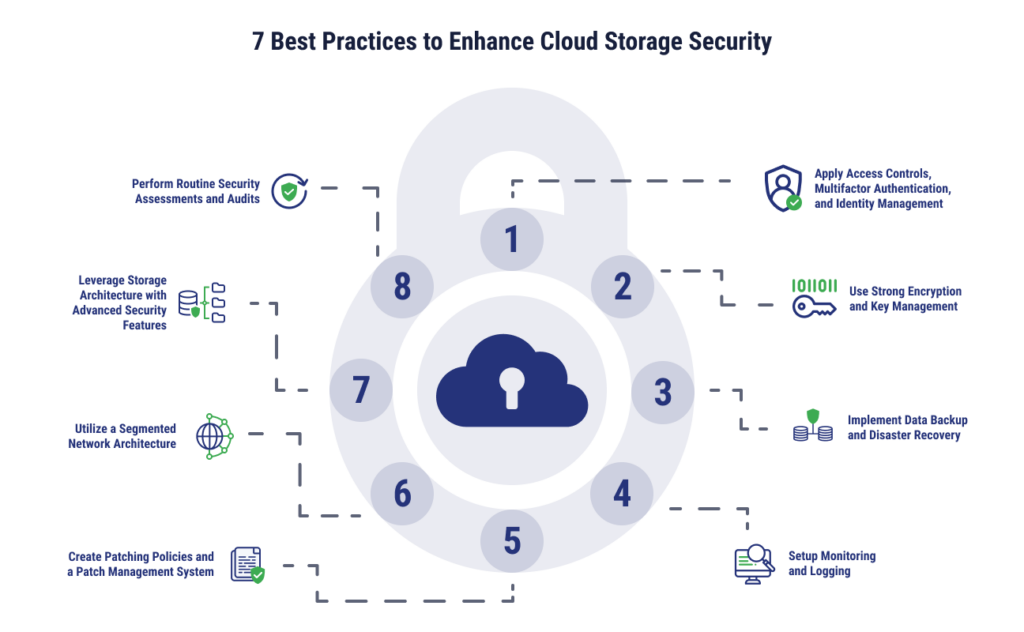
If you’re new to cloud security, it might seem overwhelming. But don’t worry, there are simple steps you can take to protect cloud data from the get-go. Here are a few cloud security tips for beginners:
- Enable Multi-Factor Authentication (MFA): MFA adds an extra layer of security. Even if someone guesses your password, they still need a second factor (like a code sent to your phone) to access your account.
- Use Strong Passwords and Change Them Regularly: Your password should be unique, long, and include numbers, letters, and special characters. Avoid using the same password for multiple accounts.
- Follow the Principle of Least Privilege (PoLP): Only grant access to cloud data and resources that are necessary for a person to complete their tasks. Regularly audit access permissions to ensure there are no unnecessary privileges.
By starting with these basic cloud security tips, you can drastically reduce the chances of unauthorized access to your cloud data.
READ MORE: Is a Masters in Cybersecurity Worth It in 2026?
How to Build a Successful Cloud Security Strategy
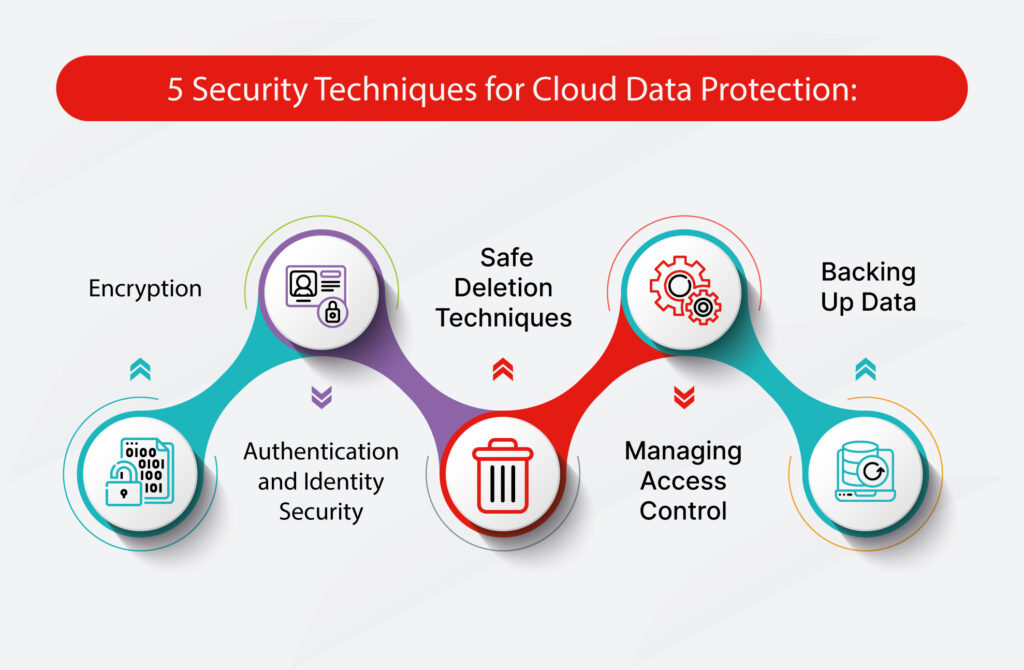
Building a successful cloud security strategy is about more than just setting a few controls in place. It’s about taking a comprehensive approach that covers the entire lifecycle of cloud data. Here’s how to secure cloud infrastructure and ensure your data stays protected:
- Cloud Security Governance: Set up policies to govern how cloud resources are managed. This ensures that all cloud services are used safely and securely across your organization.
- Encrypt Your Data: Encryption is your first line of defense. Whether your data is stored in the cloud or transmitted over the internet, ensure it’s encrypted. Strong encryption protocols will make it nearly impossible for hackers to read your data.
- Use Trusted Tools and Platforms: Choose cloud computing security policies and tools that align with industry standards. Platforms with built-in security features like firewalls, intrusion detection systems, and secure storage options are essential for keeping data safe.
- Regular Monitoring: Continuously monitor your cloud infrastructure for unusual activity. Set up alerts for abnormal login attempts, new user creations, or changes to configurations. Cloud security configuration tools can help automate this monitoring.
By integrating these strategies, you can build a cloud security plan that ensures safe and compliant cloud operations.
Cloud Security for Small Business and Caregivers: Keeping Your Data Safe
For small businesses and caregivers, data security is vital, as they often deal with sensitive client or patient information. Cloud security solutions offer flexibility, but they also come with the responsibility of protecting that data.
Small Business Cloud Security:
Small businesses should focus on creating secure cloud security policies that protect critical data. This includes setting up user access controls, data encryption, and establishing backup systems to ensure business continuity in case of an incident.
Cloud Security for Caregivers:
Caregivers, especially those managing patient or personal health information, should implement strong security measures such as encrypted data storage and secure cloud-based communication systems. Using cloud computing secure services with high privacy standards can help keep sensitive data protected while maintaining accessibility.
By following these simple yet effective practices, both small businesses and caregivers can significantly reduce their exposure to cloud-based risks.
SEE ALSO: What Does Cloud Network Security Mean in 2025?
Key Cloud Security Policies Every Business Should Implement
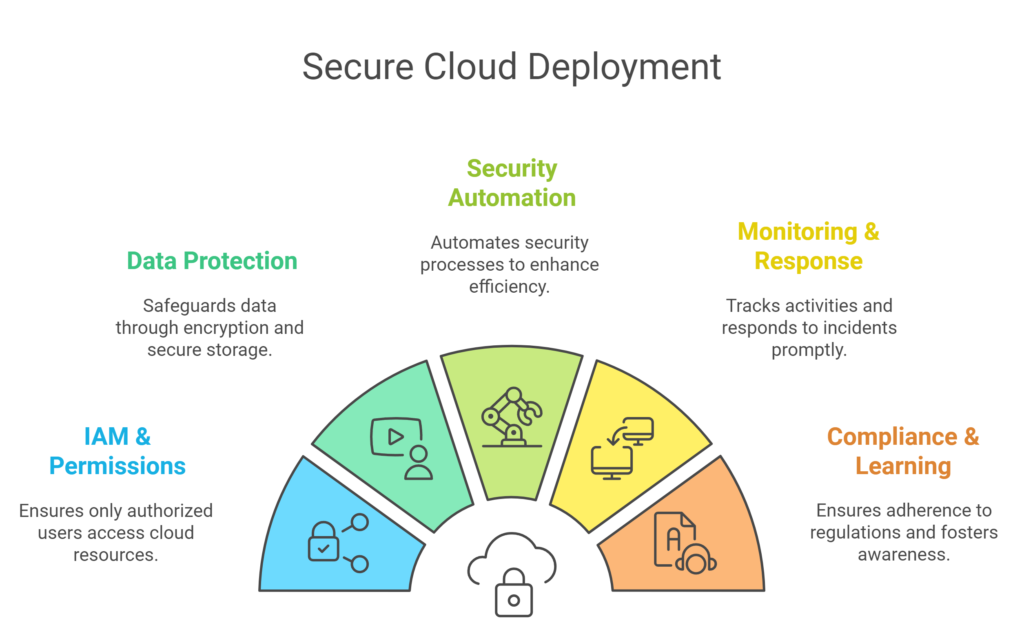
Cloud security policies are essential for creating a secure cloud environment. Businesses of all sizes should adopt comprehensive policies that cover access control, incident response, and data protection. Here’s how to set up a solid cloud security governance framework:
- Define Access Permissions: Set clear policies regarding who can access what data and services. Use the principle of least privilege to minimize unnecessary access.
- Monitor and Audit: Regularly audit cloud configurations and access logs to ensure compliance with your cloud security policies.
- Back Up Critical Data: Always back up important data in secure locations. Set up automated backup systems to ensure that data is regularly saved and recoverable.
- Incident Response Plan: Develop a plan for responding to security breaches. This should include immediate steps to mitigate damage and recover lost data.
By implementing these cloud security policies, businesses can establish a strong foundation for protecting sensitive information.
Conclusion
Securing your data in the cloud is essential, and with the right cloud security tips, you can protect sensitive information and maintain business continuity. Whether you’re a beginner exploring cloud security for the first time, a caregiver managing patient data, or a small business owner, the practices outlined in this article will help you secure your cloud infrastructure and protect your data from growing threats.
Start implementing these tips today and build a robust cloud security strategy that will keep your data safe for years to come.
Are you ready to break into the world of cybersecurity? ExcelMindCyber Institute offers comprehensive, hands-on training designed to equip you with the skills needed to land high-paying cybersecurity jobs in just 90 days. Whether you’re a beginner or looking to specialize in Governance, Risk, and Compliance (GRC), our expert-led programs ensure you have the practical knowledge, career support, and real-world experience to succeed.
Don’t wait, transform your career and secure your future in cybersecurity today! Visit ExcelMindCyber.com to learn more and schedule a one-on-one consultation with our experts to get started.
FAQ
What are the 4 pillars of cloud security?
The four pillars of cloud security are:
Identity and Access Management (IAM): Ensures that only authorized users can access your cloud services.
Data Protection: Secures the confidentiality, integrity, and availability of data through encryption, backup, and secure access.
Infrastructure Security: Involves securing the underlying hardware and software platforms that support cloud services.
Incident Response: Provides the ability to detect, manage, and recover from security incidents and breaches in the cloud environment.
What are the best practices for cloud security?
Some of the best practices for cloud security include:
Enable Multi-Factor Authentication (MFA) for all users to prevent unauthorized access.
Encrypt sensitive data both in transit and at rest to protect it from breaches.
Regularly audit cloud configurations and access logs to ensure compliance with security standards.
Implement the principle of least privilege (PoLP) to minimize unnecessary access to critical cloud resources.
Monitor cloud activity continuously for signs of suspicious behavior or misconfigurations.
What are IaaS, PaaS, and SaaS?
IaaS (Infrastructure as a Service): Provides virtualized computing resources over the internet. It gives you access to computing power, storage, and networking without needing to own the infrastructure.
PaaS (Platform as a Service): A platform that allows developers to build, test, and deploy applications without managing the underlying infrastructure. It simplifies app development by providing tools and services like databases and middleware.
SaaS (Software as a Service): Delivers software applications over the internet. Users access the software through a web browser without installing or maintaining the application themselves.
What are the top 5 cloud security risks?
The top 5 cloud security risks include:
Data Breaches: Unauthorized access to sensitive cloud data can lead to loss or theft of critical information.
Insecure Interfaces and APIs: Poorly designed APIs can expose vulnerabilities that attackers may exploit.
Data Loss: Cloud service providers or internal errors can lead to the accidental deletion or corruption of data.
Lack of Visibility: Limited visibility into cloud environments can make it difficult to detect and respond to threats.
Insufficient Identity and Access Management: Weak IAM policies can allow unauthorized users to access sensitive cloud services and data.