
 English
 Arabic
 English
 French
 German
Define Media Access Control: How MAC Works in Computer Networks (2026)
Every device on a network needs a way to identify itself, follow communication rules, and send data without disrupting other devices. Media access control makes that possible.
To define media access control simply, it is the part of computer networking that controls how devices access a shared network and deliver data inside a local network. It helps your laptop, phone, router, printer, and other connected devices know when to transmit data and where to send it.
For cybersecurity beginners, media access control matters because it connects networking, device identity, traffic flow, and access control. When you understand how MAC works, you understand one of the first layers attackers, network admins, and security analysts look at when investigating devices on a network.
What Is Media Access Control?
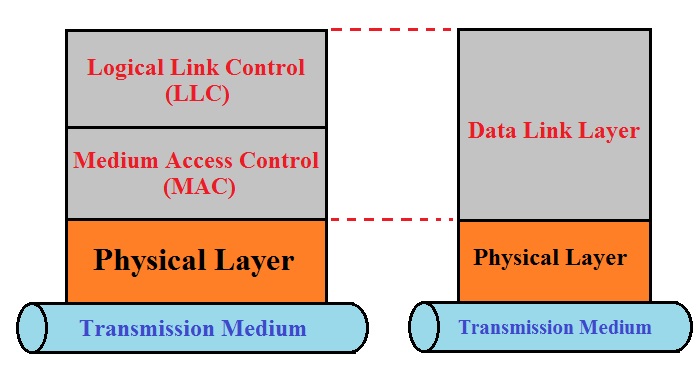
Media Access Control, often called MAC, is the lower sublayer of the Data Link Layer in the OSI model. It controls how devices on the same local network identify each other and access the communication medium, such as an Ethernet cable or Wi-Fi channel.
In simple terms, media access control tells a device when it can send data, how it should package that data, and which local device should receive it. This is the basic media access control definition: MAC manages device addressing and data transmission rules inside a local network.
Without media access control, devices would struggle to coordinate communication, especially when several devices try to use the same network at once.
RELATED: Managed Network Services: What Professionals Need to Know in 2026
What Is Media Access in Simple Terms?
Media access means the right to use a network path to send data. In networking, “media” does not mean social media. It means the physical or wireless path data travels through, such as an Ethernet cable, fiber connection, or Wi-Fi signal.
A media access method defines how devices take turns using that path. For example, if several laptops connect to the same Wi-Fi network, they cannot all transmit freely at the same exact moment without rules. The MAC layer helps each device follow the right process so communication stays organized.
What Is the Responsibility of the MAC Sublayer?
The MAC sublayer handles several important jobs inside the Data Link Layer. Its main responsibility is to help devices send data across a local network in an organized way.
First, the MAC sublayer adds the sender’s and receiver’s media access control address to each frame. This helps switches and other local network devices know where the data should go.
Second, it creates frames. A frame is a structured unit of data that travels across a local network. Instead of sending raw data without direction, the MAC sublayer packages the data so the network can handle it properly.
Third, it manages access to the network medium. When multiple devices want to transmit, MAC rules help reduce collisions and keep communication stable.
In short, the core media access control functions include addressing, framing, local delivery, and channel access.
READ MORE: Risk Management Frameworks: A Cybersecurity Professional’s Guide (2026)
How Media Access Control Works in Computer Networks
Media access control in computer networks works by giving devices a clear process for sending data across a local network.
When your laptop sends data to a printer, router, or another computer, the MAC sublayer first places the data inside a frame. It then adds the source MAC address and the destination MAC address. The source address identifies the device sending the data, while the destination address identifies the device that should receive it.
After that, the device follows the media access control protocol used by the network. On Wi-Fi, for example, devices use rules that help them avoid transmitting over one another. On wired networks, switches read MAC addresses and forward frames to the correct device.
A simple media access control example is an office laptop sending a document to a network printer. MAC helps the network identify the laptop, identify the printer, and move the data to the right local destination.
What Is a Media Access Control Address?
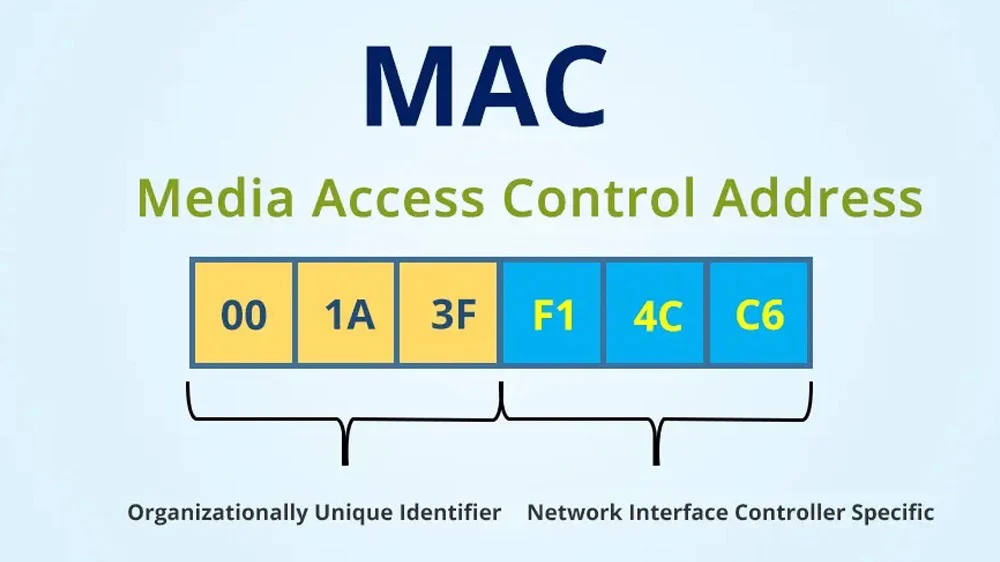
A media access control address, also called a MAC address, identifies a specific network interface on a device. Your laptop may have one MAC address for its Wi-Fi card and another for its Ethernet port.
A MAC address usually appears as a 48-bit hexadecimal value, such as:
00:1A:2B:3C:4D:5E
Devices use MAC addresses to communicate inside a local network. For example, when your router sends data to your laptop, it uses the laptop’s MAC address to deliver that data to the right network interface.
Many people describe a MAC address as a permanent hardware address, but modern devices can also use randomized MAC addresses for privacy, especially on Wi-Fi networks.
MAC Address vs IP Address
A MAC address and an IP address do different jobs.
A MAC address identifies a device’s network interface inside a local network. An IP address identifies where a device sits on a network or across the internet.
Think of it this way: the MAC address helps local devices recognize each other, while the IP address helps data move between networks.
| Feature | MAC Address | IP Address |
| Layer | Data Link Layer | Network Layer |
| Main job | Identifies a network interface | Identifies a device’s network location |
| Scope | Local network | Local networks and the internet |
| Example | 00:1A:2B:3C:4D:5E | 192.168.1.10 |
Cybersecurity analysts often check both because MAC addresses can help identify local devices, while IP addresses help trace network communication.
SEE ALSO: What is the Certification Authority? 2026 Update
Types of Media Access Control Methods
Different networks use different types of media access control methods to decide which device can transmit and when.
CSMA/CD, or Carrier Sense Multiple Access with Collision Detection, helped older shared Ethernet networks detect collisions. When a collision happened, the devices stopped, waited, and tried again.
CSMA/CA, or Carrier Sense Multiple Access with Collision Avoidance, helps Wi-Fi devices reduce collisions before they happen. Since wireless devices share the air as their communication path, they need rules that lower the chance of talking over one another.
Token passing allows only the device with the token to transmit. Demand priority uses a central hub to decide which device gets permission to send data.
The media access control method used depends on which two criteria? In simple terms, it depends mainly on the network medium and the network topology.
Medium Access Control vs Media Access Control
Medium access control and media access control usually refer to the same MAC concept.
The phrase “medium access control” focuses on the transmission medium, such as a cable or wireless channel. The phrase “media access control” has become more common in general networking and cybersecurity explanations.
Both terms describe the rules that control how devices access a shared communication path. So, when you see medium access control vs media access control, do not treat them as separate topics. In most practical networking conversations, they point to the same MAC function.
Why Media Access Control Matters in Cybersecurity
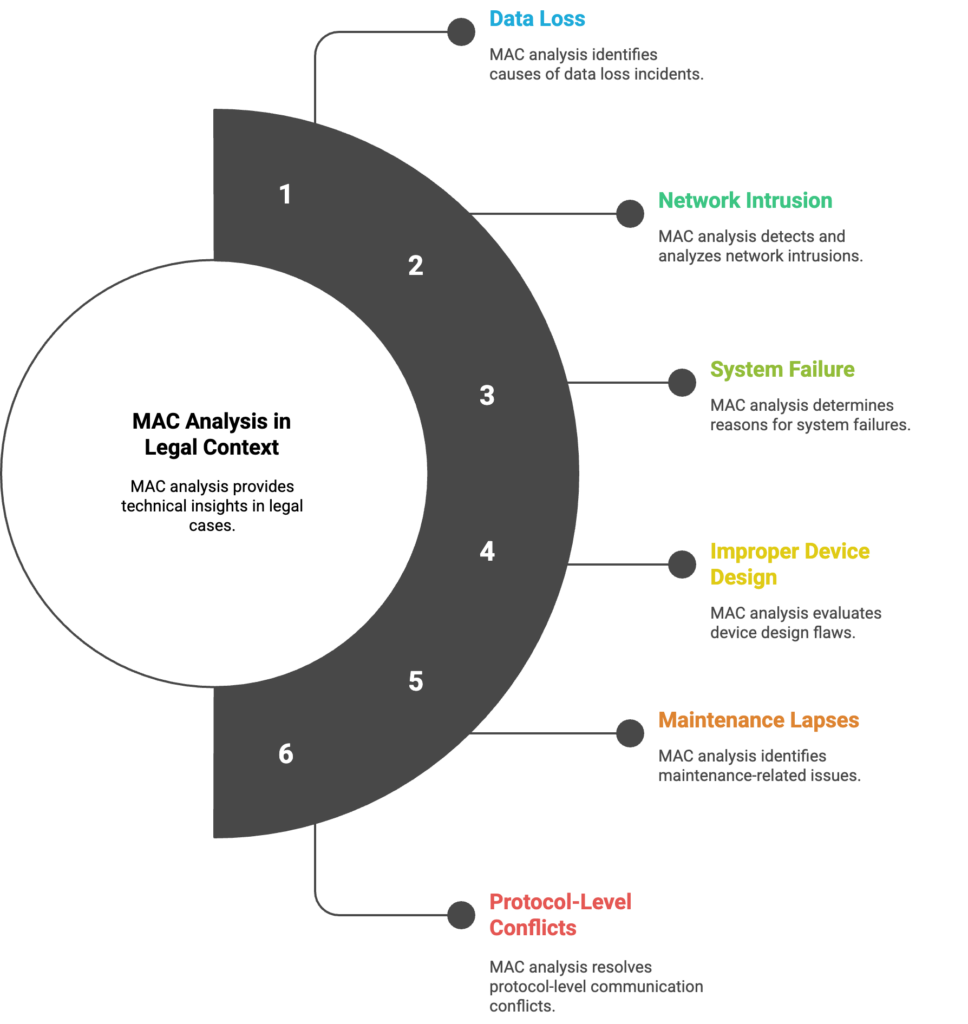
Media access control security matters because MAC helps teams identify, monitor, and control devices inside a local network. When a security analyst investigates suspicious network activity, they may check the MAC address of the device involved, the switch port it used, and the traffic it sent.
Network administrators also use MAC filtering to allow or block specific devices on a router or Wi-Fi network. This can help reduce casual unauthorized access, but it should not be treated as strong security by itself.
Attackers can spoof a MAC address, which means they can fake the address of another device. For that reason, security teams should combine MAC-level controls with stronger protections like authentication, encryption, network segmentation, endpoint monitoring, and access control policies.
MORE: User Datagram Protocol: 2026 Complete Guide
Simple Media Access Control Example
Imagine three laptops connected to the same office Wi-Fi. One laptop wants to send a file to a shared printer, another wants to load a website, and the third wants to sync files to the cloud.
Without media access control, these devices could try to transmit at the same time and disrupt one another. The MAC layer helps each device identify itself, follow the right media access method, and send frames through the network in an organized way.
In this media access control example, MAC helps the laptop, printer, router, and other devices communicate clearly inside the local network.
Final Thoughts…
To define media access control clearly, think of it as the rule system that helps devices communicate inside a local network. It gives devices an identity through MAC addresses, controls how they access the network medium, and helps data move to the right destination.
For cybersecurity beginners, media access control is worth understanding because it connects directly to device tracking, Wi-Fi behavior, switch activity, MAC filtering, spoofing risks, and network investigations.
Once you understand MAC, you can read basic network traffic with more confidence and see how local devices actually communicate before data moves across the wider internet.
Build real cybersecurity skills in 90 days.
Join ExcelMindCyber’s immersive GRC program to gain practical experience, work on real-world projects, and prepare for high-paying remote cybersecurity roles, even if you’re starting with no IT background.
Start your cybersecurity journey today.
FAQ
What does FF:FF:FF:FF:FF:FF mean?
FF:FF:FF:FF:FF:FF is the broadcast MAC address. A device uses it when it wants to send a frame to every device on the local network segment. For example, when a device needs to discover another device before it knows the exact MAC address, it may send a broadcast frame. Every device on that local network receives the frame, but only the relevant device responds.
What are the 4 types of IP addresses?
The four common types of IP addresses are public, private, static, and dynamic IP addresses. A public IP address identifies a network on the internet, while a private IP address works inside a local network. A static IP address stays the same over time, while a dynamic IP address changes when assigned by a network service such as DHCP.
What are the advantages of media access control?
Media access control helps devices communicate in an organized way inside a local network. It supports device identification, reduces transmission conflicts, helps switches forward frames correctly, and allows administrators to apply basic device-level controls. In cybersecurity, MAC information can also help with device tracking, network monitoring, and early investigation of suspicious activity.
What are the 4 types of addresses in networking?
The four common address types in networking are MAC addresses, IP addresses, port numbers, and domain names. A MAC address identifies a network interface on a local network. An IP address identifies a device’s network location. A port number identifies a specific service or application, while a domain name gives users a readable name for an internet resource.